Save time on lecturer evaluations. Automatically fill forms with one click.
Made for University of Malawi students.
Save time and effort with these powerful features
Fill entire evaluation forms with a single click. No more repetitive typing.
Generates random ratings (1-5) or choose your preferred rating level.
Control rating preferences, auto-submit, and comment filling options.
Fill all lecturer evaluations in sequence automatically.
No data collection. Everything works locally in your browser.
Modern, intuitive interface that's easy to use for everyone.
Get started in seconds. Compatible with Chrome, Edge, and Brave browsers.
By downloading, you agree to use this extension responsibly and in accordance with your university's policies.
Follow these simple steps to install the extension
After downloading, extract the ZIP file to a folder on your computer. Remember where you save it!
Extract ZIP file
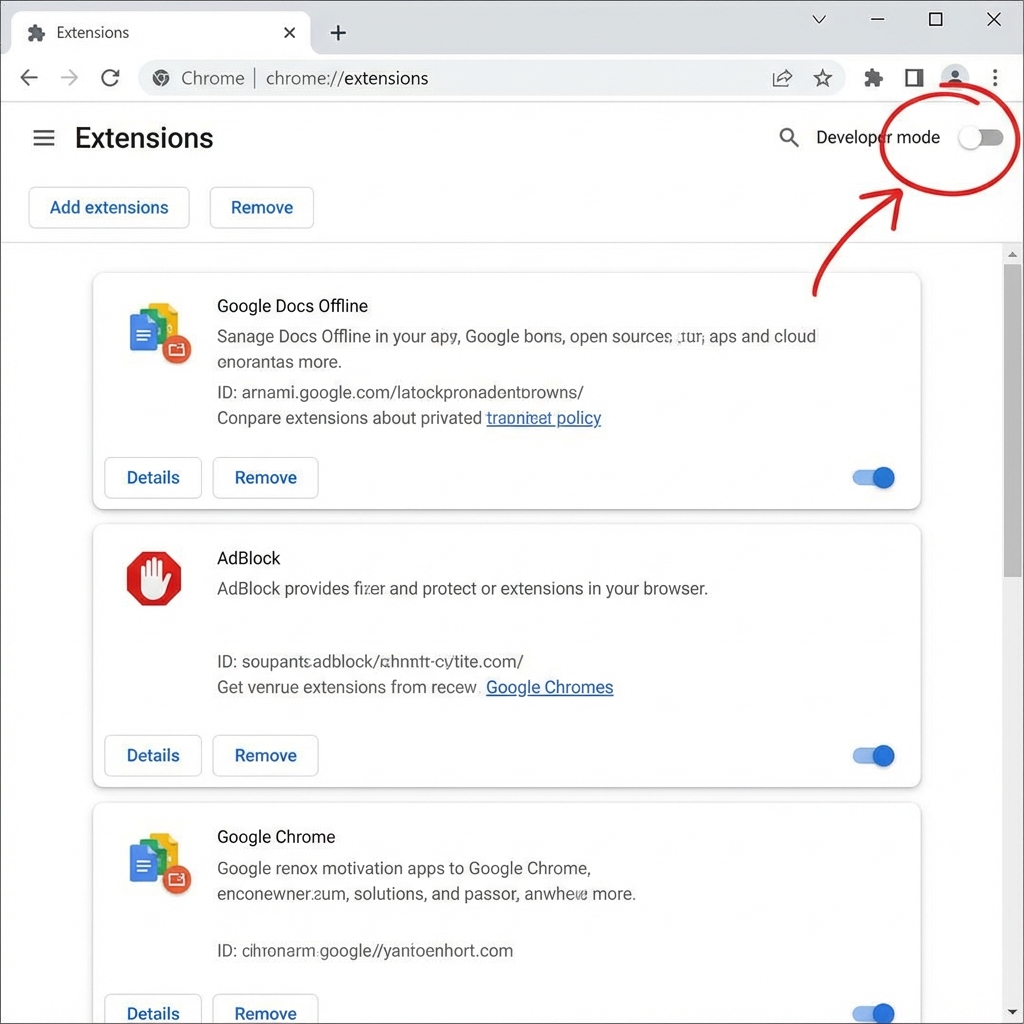
Open Chrome/Edge/Brave and type chrome://extensions/ in the address bar, then press Enter.
Look at the top-right corner and turn ON the "Developer mode" toggle switch.
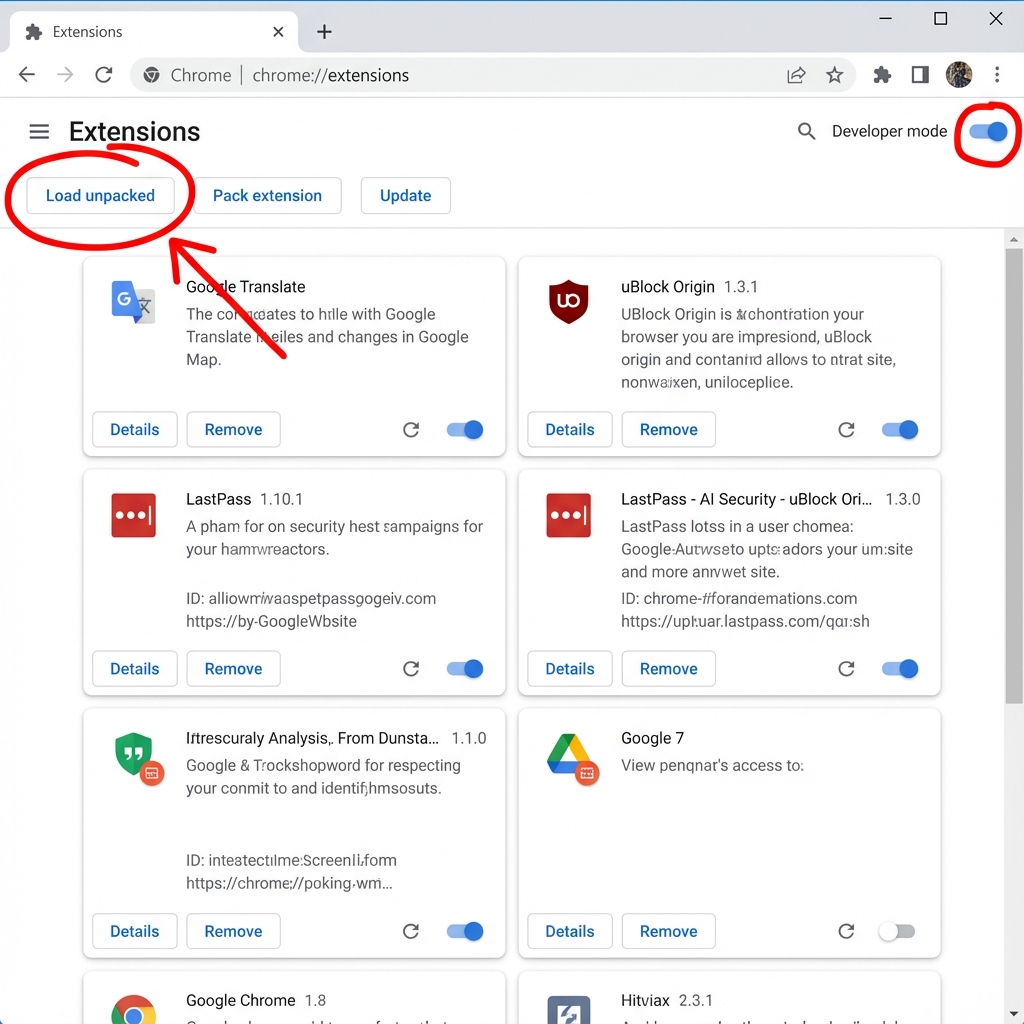
Click the "Load unpacked" button in the top-left area, then select the folder you extracted in Step 1.
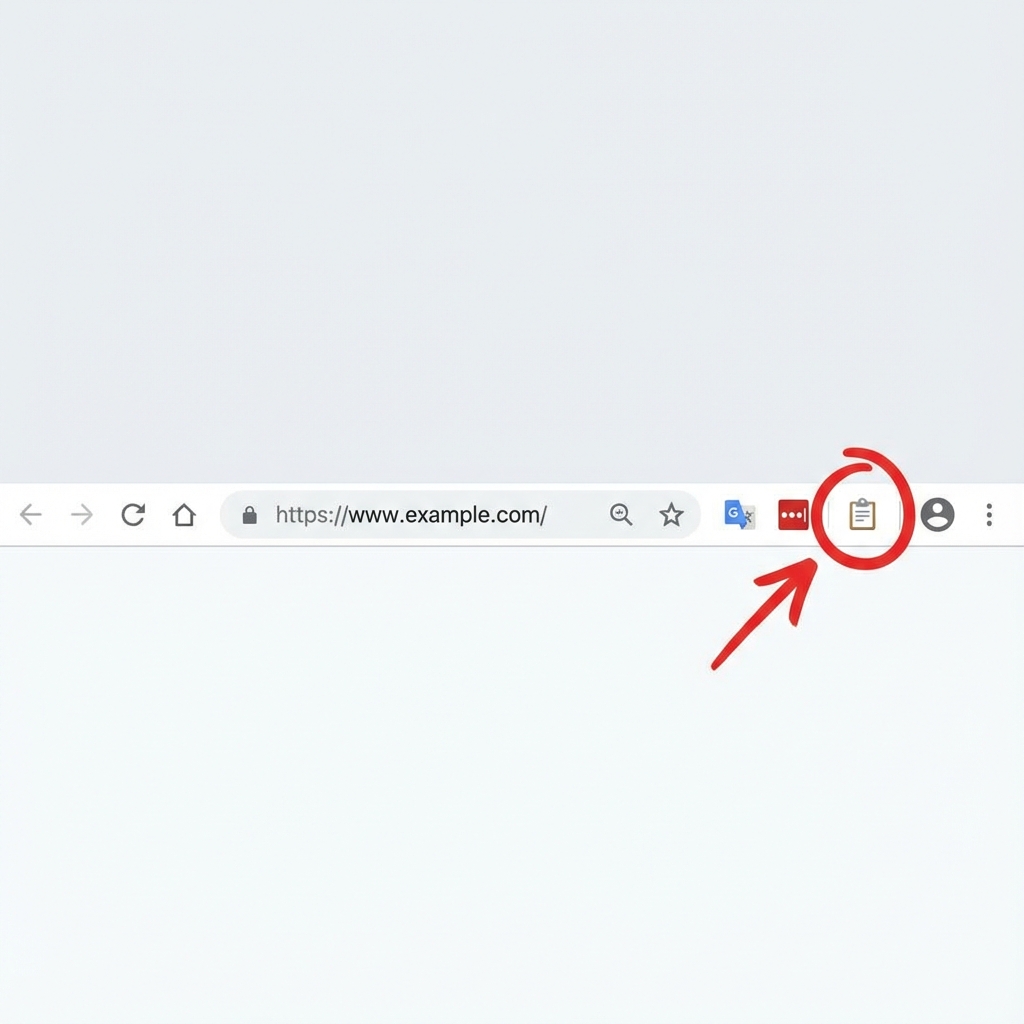
Look for the clipboard icon in your browser toolbar. If you don't see it, click the puzzle icon and pin the extension.
Using the extension is super simple
Go to students.unima.ac.mw and log in with your credentials.
Go to the course evaluation page where you need to fill the feedback forms.
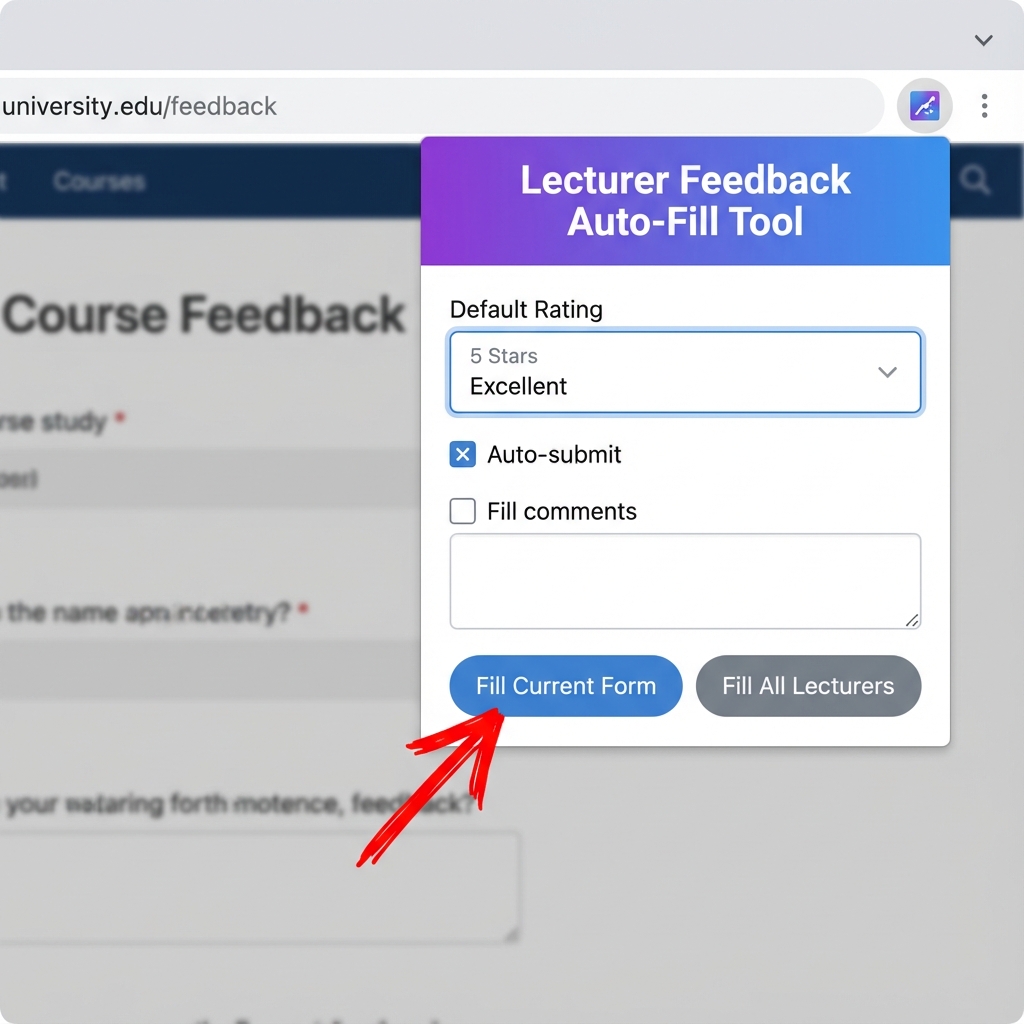
Click the extension icon in your toolbar to open the popup.
Click "Fill Current Form" and optionally submit. Done!
Got questions? We've got answers
Yes! The extension works 100% locally in your browser. No data is collected, stored, or transmitted to any external servers. Your privacy is guaranteed.
The extension works on Google Chrome, Microsoft Edge, and Brave Browser. Firefox is also supported but requires temporary installation.
Yes! The extension is specifically designed for the University of Malawi student portal at students.unima.ac.mw.
Absolutely! You can choose from Random, High (4-5), Medium (3-4), Low (1-2), or Neutral (3) rating preferences. You can also enable/disable comment filling and auto-submit.
Please check your university's policies regarding automated form submissions. While this tool makes the process easier, we recommend providing genuine feedback when possible to help improve teaching quality.
Make sure you're on the course evaluation page, refresh the page, and try again. Ensure the extension is enabled in chrome://extensions/. If problems persist, try reinstalling the extension.
Download the extension now and make lecturer evaluations effortless
Download Extension